Your first 5 minutes
Install the binary, send a request, and watch the platform light up. Here's what actually happens at each step.
Install
One command. No runtime, no Docker, no dependencies.
Start the platform
One command. All 6 apps boot on a single port.
~/.stockyard/stockyard.db. All 16 providers are auto-configured. Fifty-eight modules are running in the middleware chain. Nothing to configure yet — sensible defaults are already active.
Send your first request
Point any OpenAI-compatible client at localhost:4200.
Or in your app code — one line changes:
Open the console
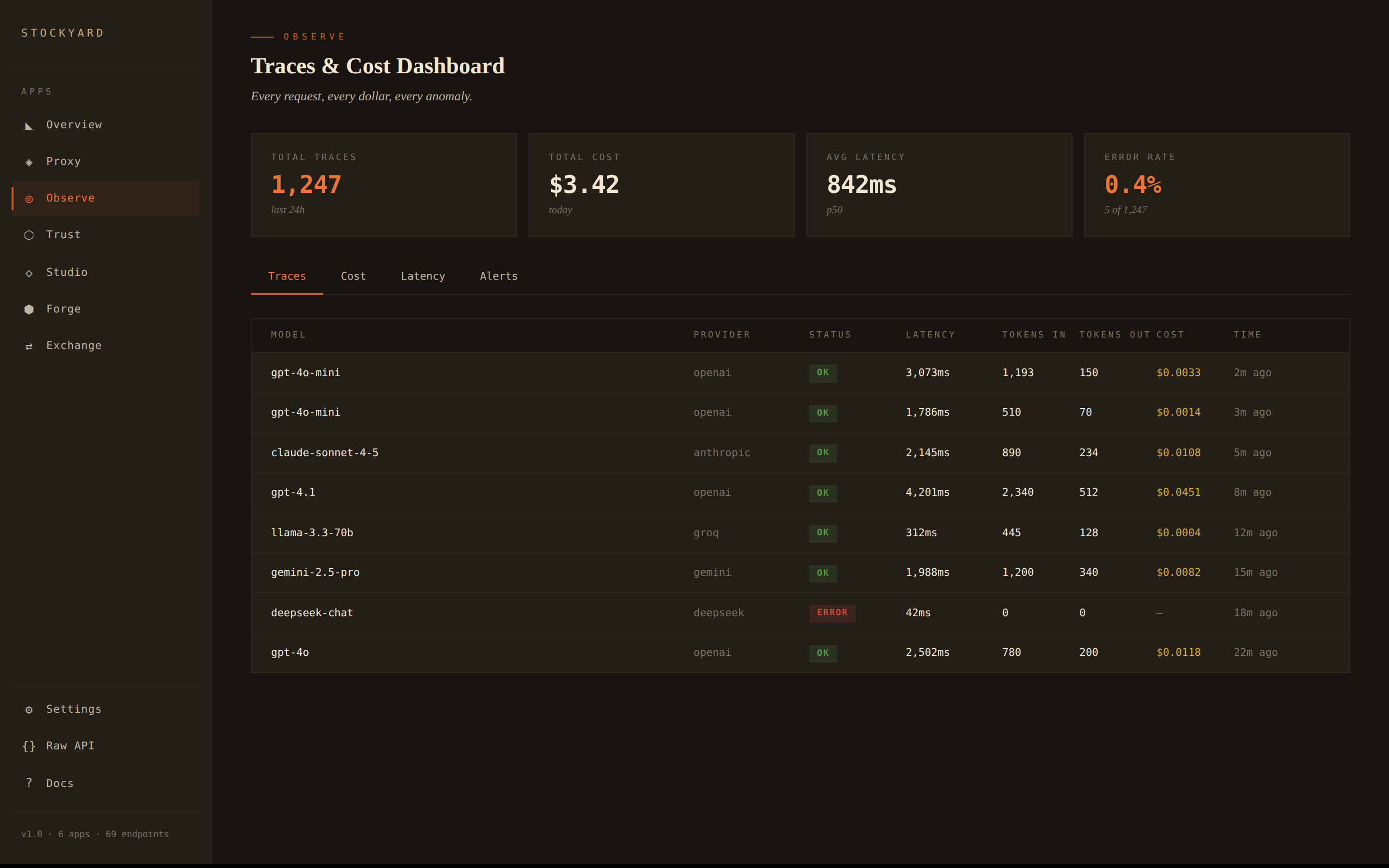
See what just happened — traces, costs, live events.
Open http://localhost:4200/ui in your browser.
Toggle a module
Turn features on and off at runtime — no restart, no redeploy.
Navigate to Proxy in the sidebar. You'll see all 58 modules with toggle switches.
Three developers, three problems
The same platform, configured differently.
"I don't want a surprise $400 bill."
You're building a side project with GPT-4o. You want a hard cost cap at $20/month, automatic fallback to a cheaper model when you're close, and a daily email if anything looks off.
Enable three modules and you're done.
"Our safety review is next week."
You need PII filtering before responses hit users, injection attempt blocking, and an audit trail that proves you're doing it. Install the safety pack — five modules, pre-configured.
"Compliance wants a tamper-proof ledger."
Every LLM call needs to be hash-chained in an append-only audit log. Trust does this automatically — every request through the proxy is a signed ledger entry with chain verification.
What you're actually looking at
Six apps, one dashboard. Each tab is a different lens on the same traffic.
Every request traced. Cost attribution by model and provider. Latency sparklines. Anomaly detection. Alerts when something looks wrong.
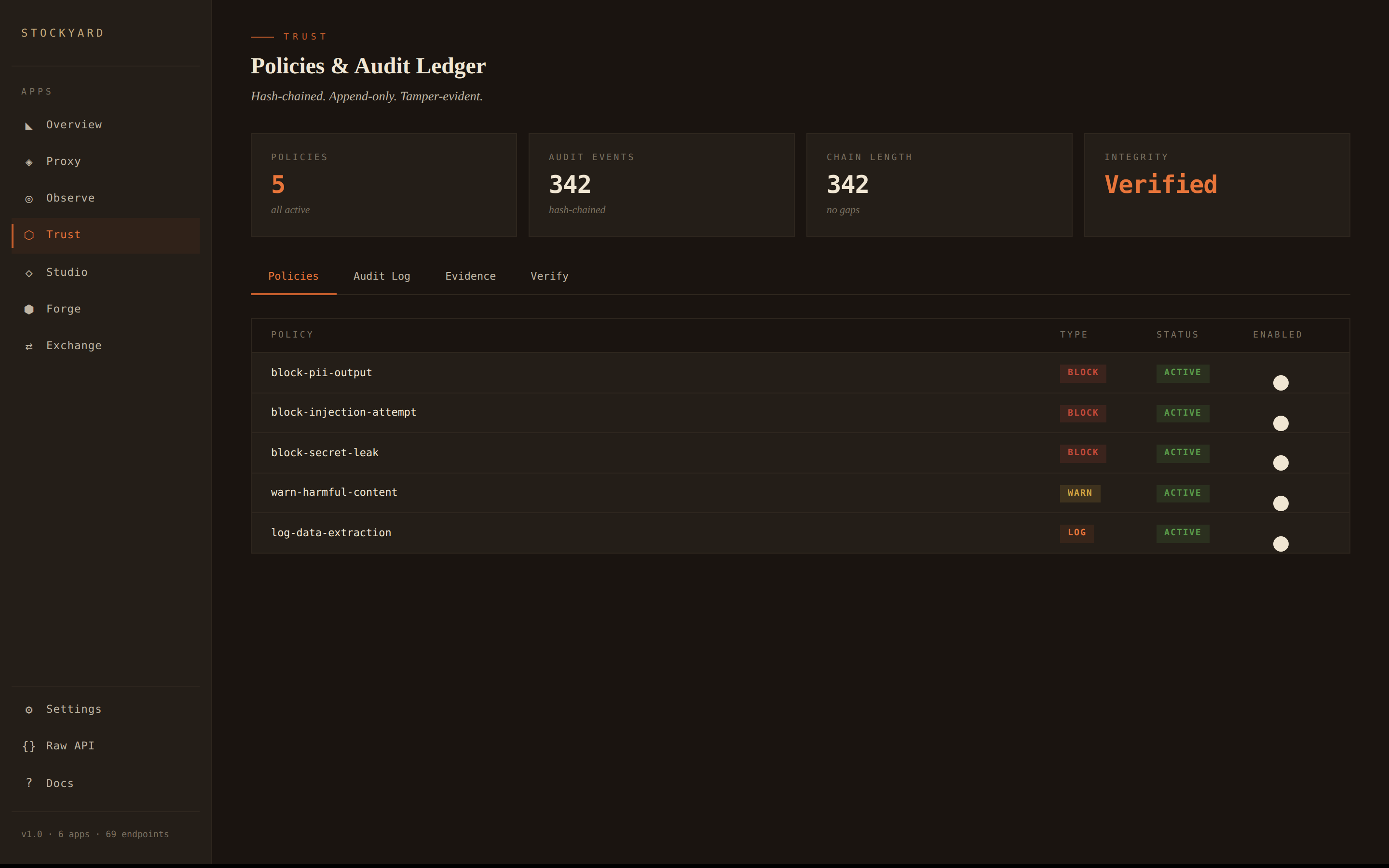
Hash-chained audit ledger. Every LLM interaction is an immutable, signed event. Policy engine with block, warn, and log actions. Chain integrity verification.
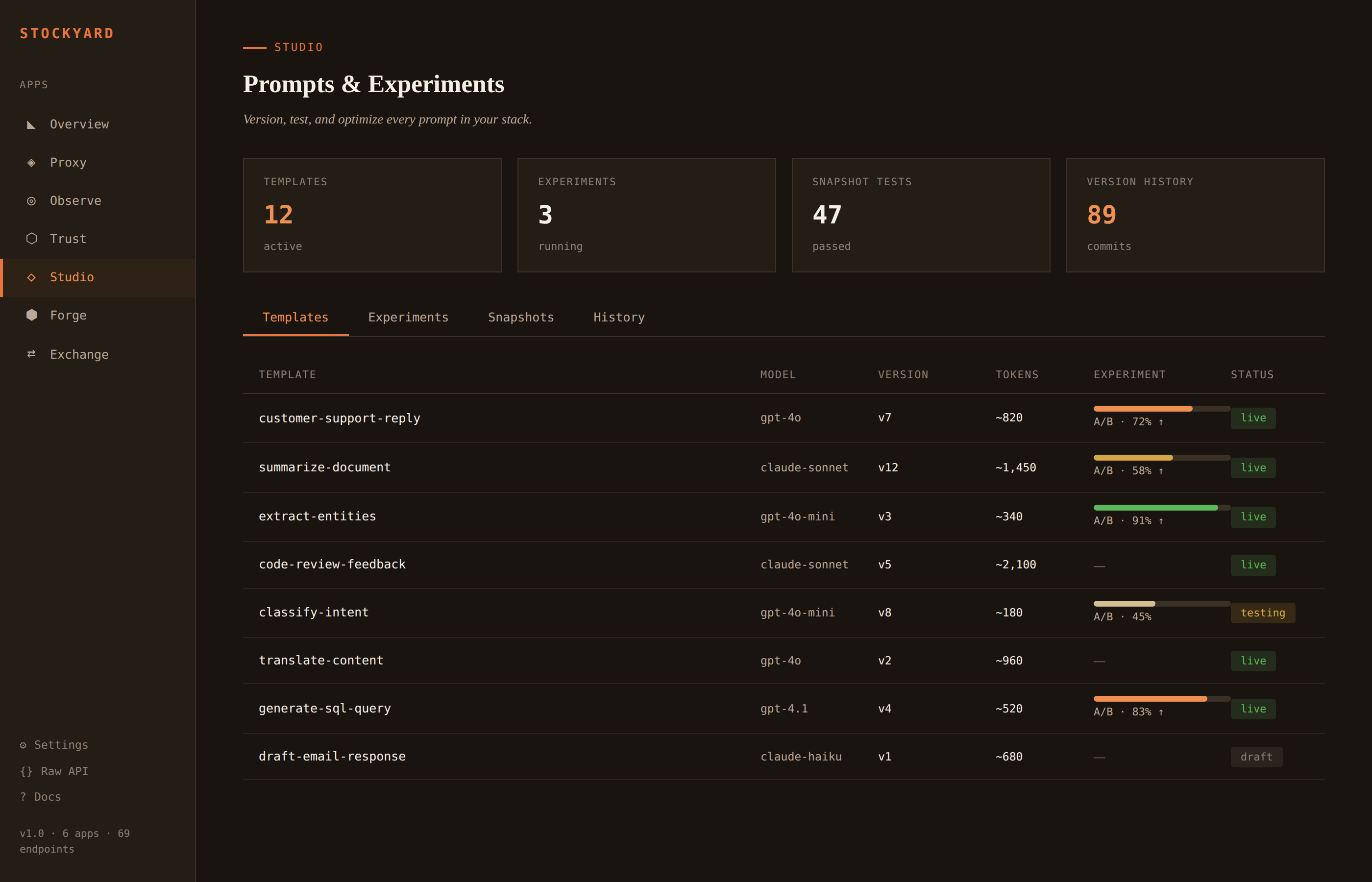
Version every prompt. Run A/B experiments across model variants. Snapshot tests to catch regressions. Full history of every change.
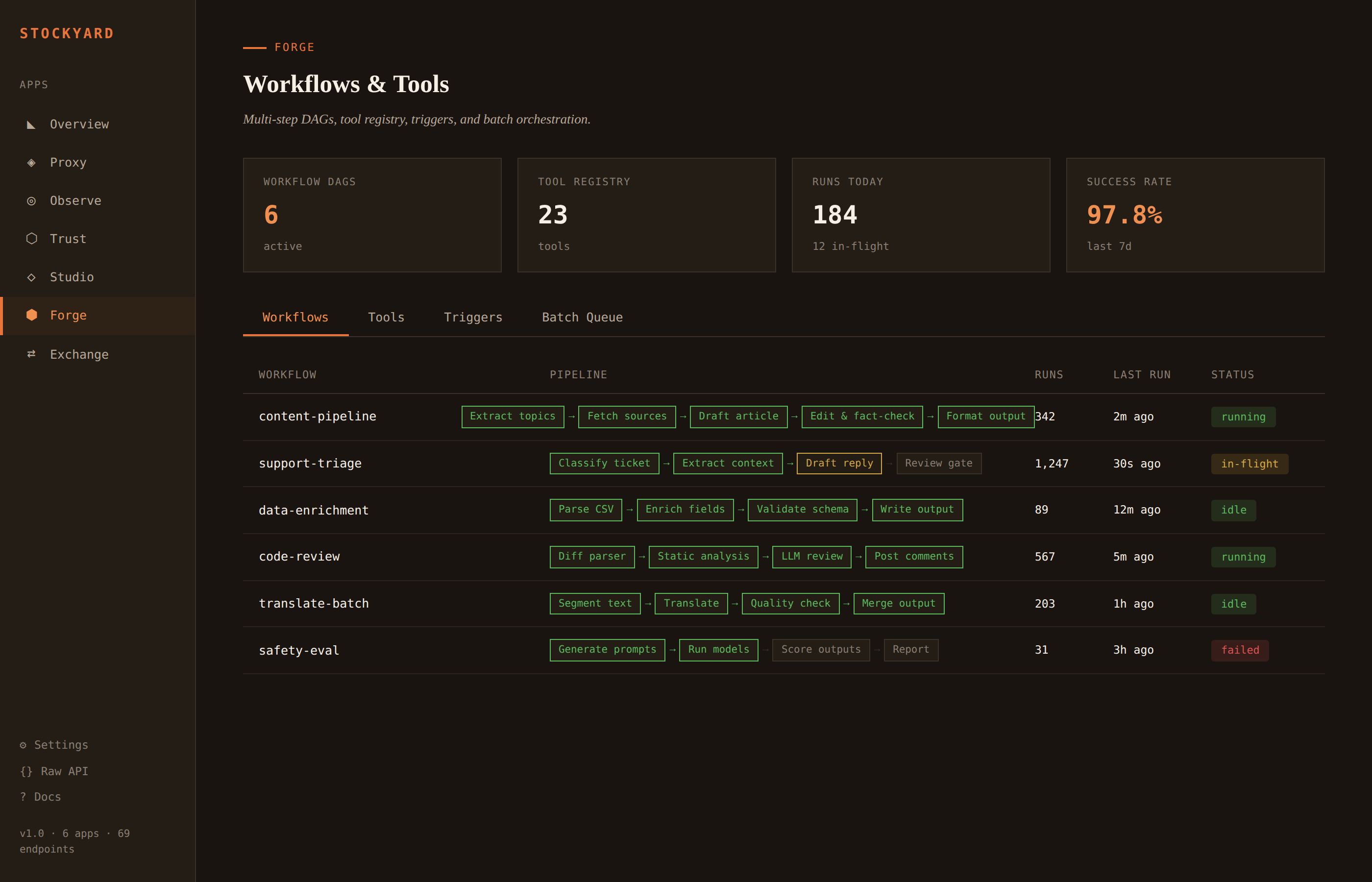
Multi-step LLM workflows as directed acyclic graphs. Tool registry for function calling. Trigger rules. Batch queue for high-volume jobs.
One line in your code
If your code talks to the OpenAI API, it already works with Stockyard.
Works with any OpenAI-compatible client. The Anthropic, Google, and Groq SDKs all support custom base URLs.
Ready to try it?
Three commands. Thirty seconds. Everything between your app and the model.